INTREPID STUDIOS - ASHES OF CREATION - REPORTER case study

Overview
During my time on Ashes of Creation, one of the primary tools we provided players to report issues was an in-game Reporter.
This window allows players to report an issue, and we would receive the issue on our internal database manager.
The following brief case study and proposals were created to provide players and developers with crucial context to reports.
Table of Contents
Reporting a Bug
Issues with Reporter
Sizing and field proposal
Put a bug on it
REPORTING A BUG
In-Game Reporting followed these methods of opening the Reporter
Main Menu = Press Esc + click on “Report Issue” to open the Reporter
Chat = Press Enter + type “/bug” + press Enter to open the Reporter
External Methods of Reporting an issue
Forums = Less used, monitored primarily by community team
Discord = Many use this as QA/Community Teams had ability to Reply
Internal Developer Methods
Report in Slack Channels = Developer ONLY use, able to be alerted fast, but can clutter communication and cause panic!
Many Developers did not use the Reporter, as slack was faster, and there was no direct Jira api plugin that also had Dev Account credentials to verify it was a Dev, to prioritize or filter.
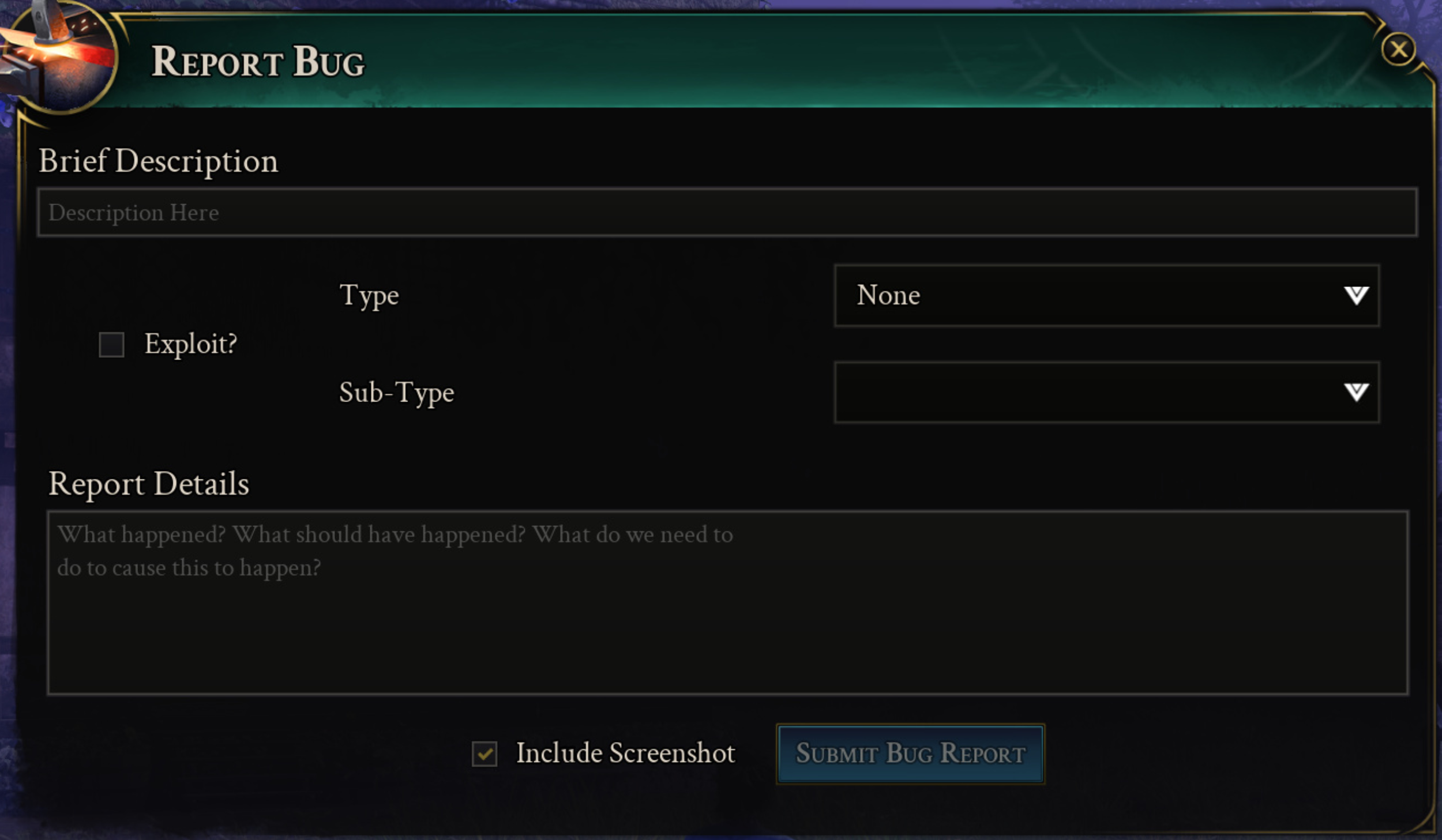
THE REPORTER WINDOW
In the Reporter window, we provide players the following fields:
Brief Description - Open Field, set character limit to summarize issue
Exploit - Toggle a Checkbox if the player perceived an issue as an Exploit
Type - List of QA curated Categories (World, Guilds, Storage, etc)
Sub-Type - Dropdown field, which would populate based on the selected Category
Report Details - Open Field, no Character Limit
Include Screenshot - Takes a screenshot ON SUBMIT
Submit Bug Report - Button
Post Submission:
After a Player Submits the bug, they receive a “Bug Submitted” message.
ISSUES WITH REPORTING
Scale and Context
Reports from various environments are great, until terminology breaks down with change as well as ownership:
External database can
Easily cluttered
Time sink required to focus in on, or CLUSTER was too high
Lack of methods to remove CLUTTER
The most valuable data from reports
Brief Description, Type, Sub-Type, and Screenshot fields were terminologically inconsistent:
Reports do not contain intended screenshots
Reports do not provide intended context to specific fields and descriptions
in-game naming conventions or updates require upkeep
established l33t speak, can get in the way
some use development terminology
Reporter functional issues
Dropdowns are a pain to cycle through for players, as the user does not know what Sub-types are available until after they select.
These Categories, and Subcategories, may not include terminology or topic matching player issue context
Our screenshots only sent on Submission
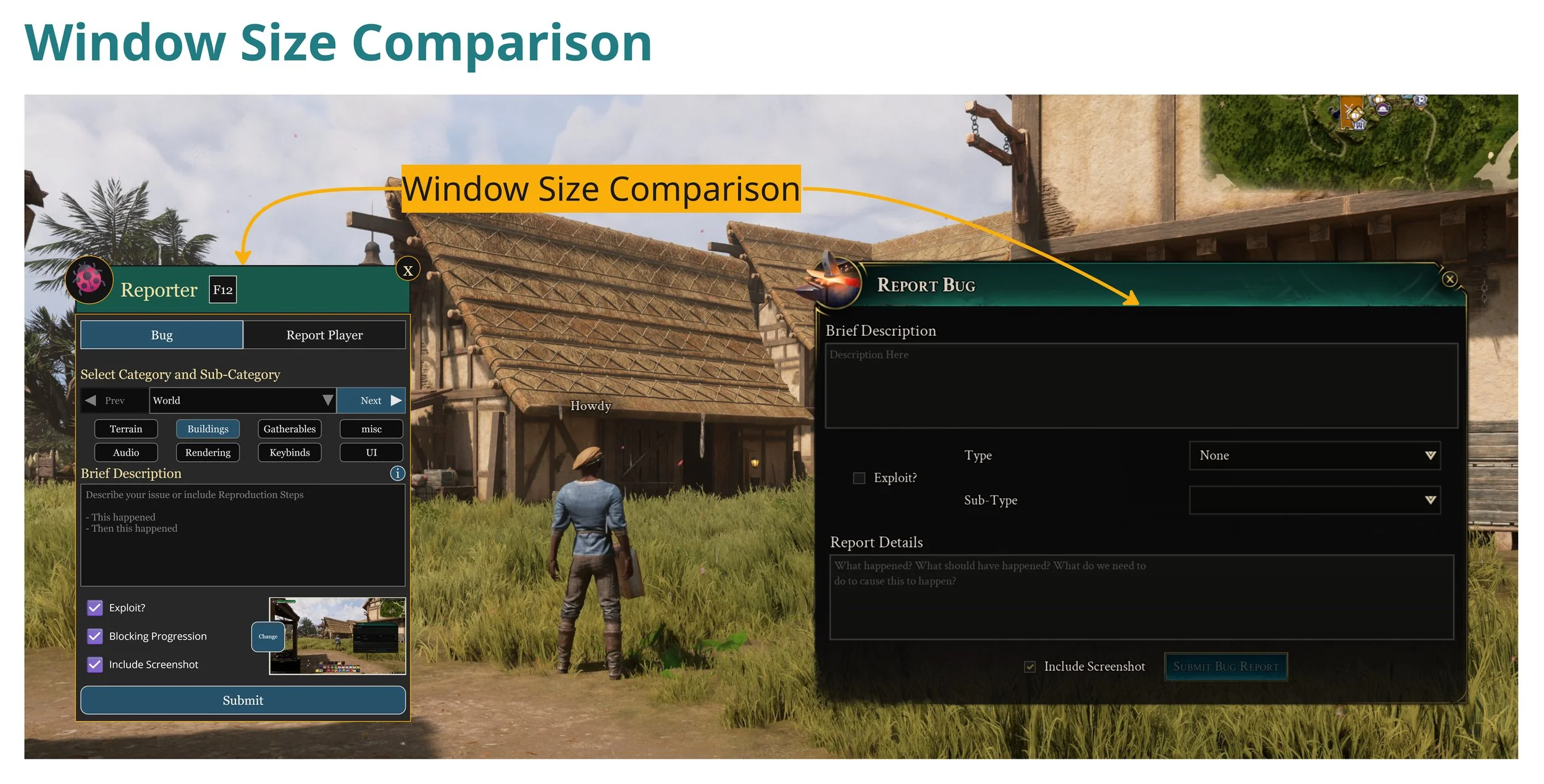
Our Reporter window was much larger than it needs to be
Chat
Press Enter + type “/bug” + press Enter to open the Reporter has no indication of functionality for players who aren’t old school MMO' Players.
sizing and field proposal
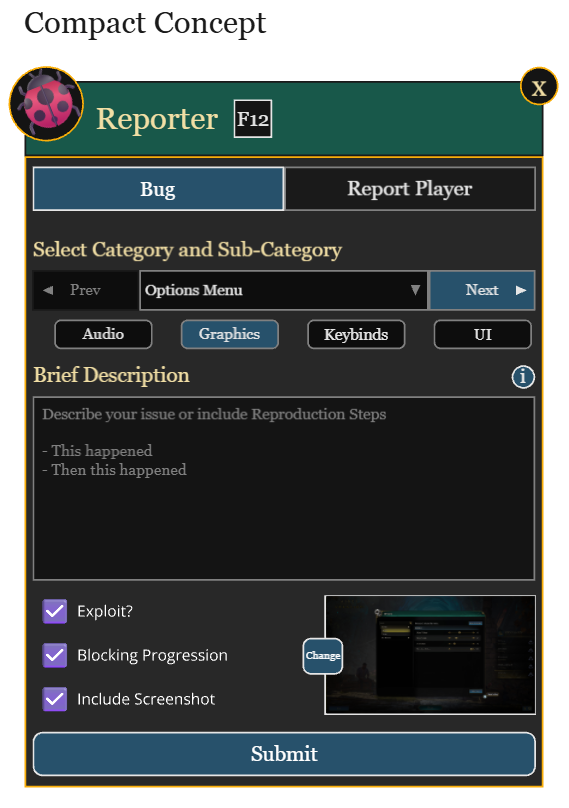
Window
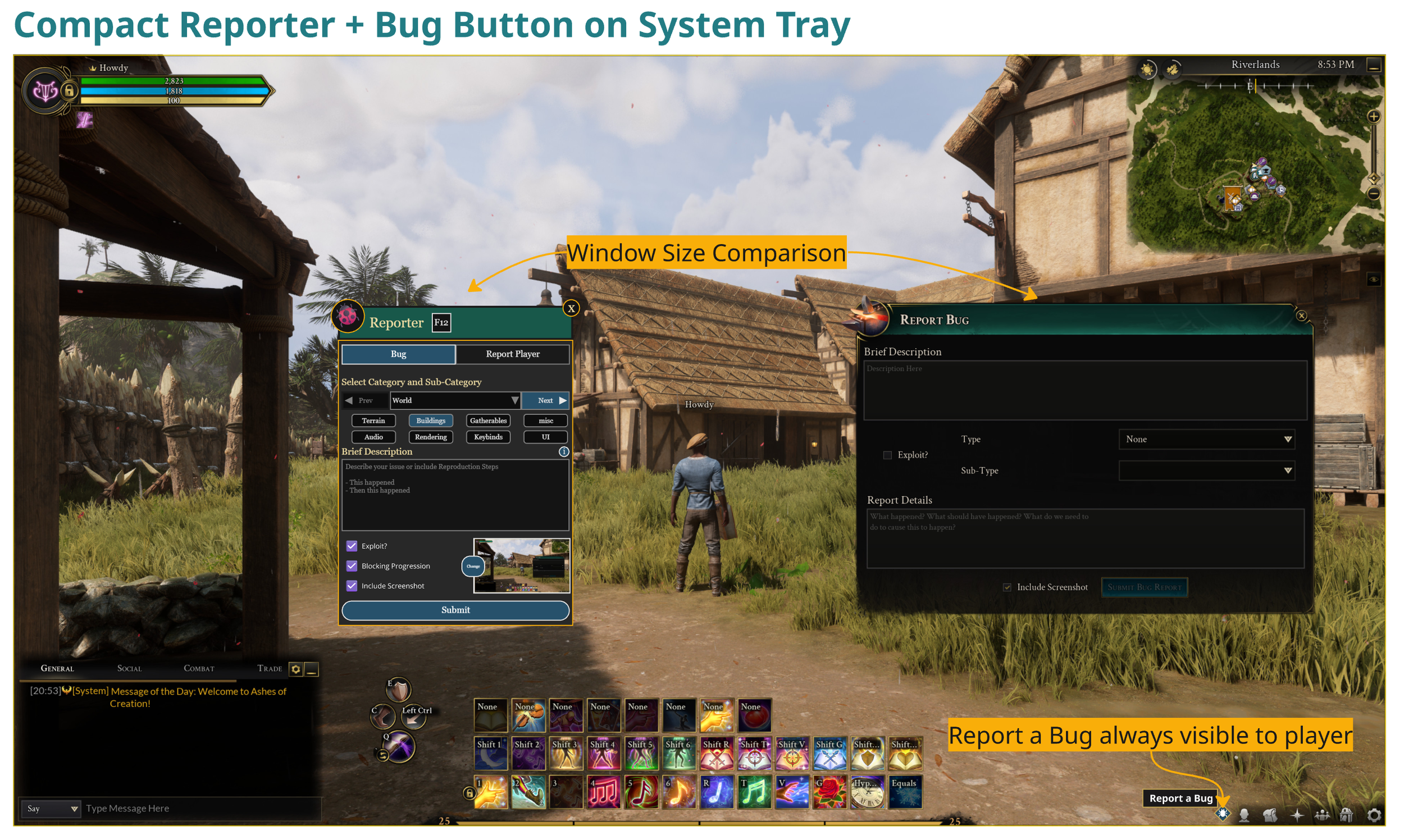
Reduce Size of Window
Provide a Keybind Shortcut for quick launch
Two Tabs:
Bug
Report Player
Fields
Replace standard dropdown with a Cycle Previous and Next Dropdown (similar to ones found when using Calendars for scheduling)
Cycling would update and provide player with sub-categorical tag filters below,
The intention is for the player to just quickly cycle to find what they were looking for.
Information Button to lead to player to How to Guide
Screenshot taken at Report
Add ability to Take or Retake the Screenshot
On Submit
Include Account / Player Snapshot Data for Copy and Pasting to Load Player Configuration
Inventory, Gear, currency, etc json files that could be loaded by QA for issue replication
Put a bug on it
With the proposal above tackling improvements to the window sizing and field functionality - this improvement tackles “Context”
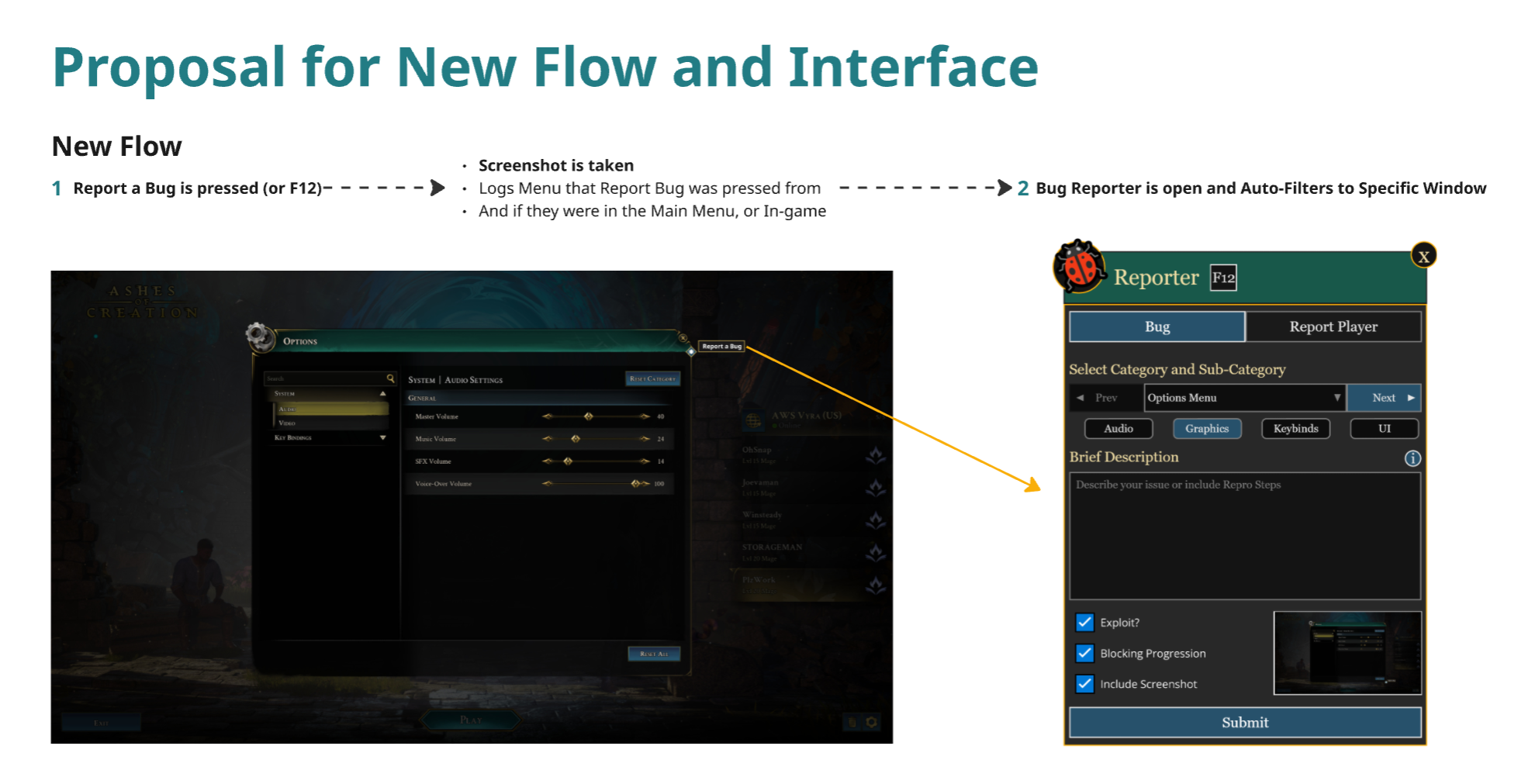
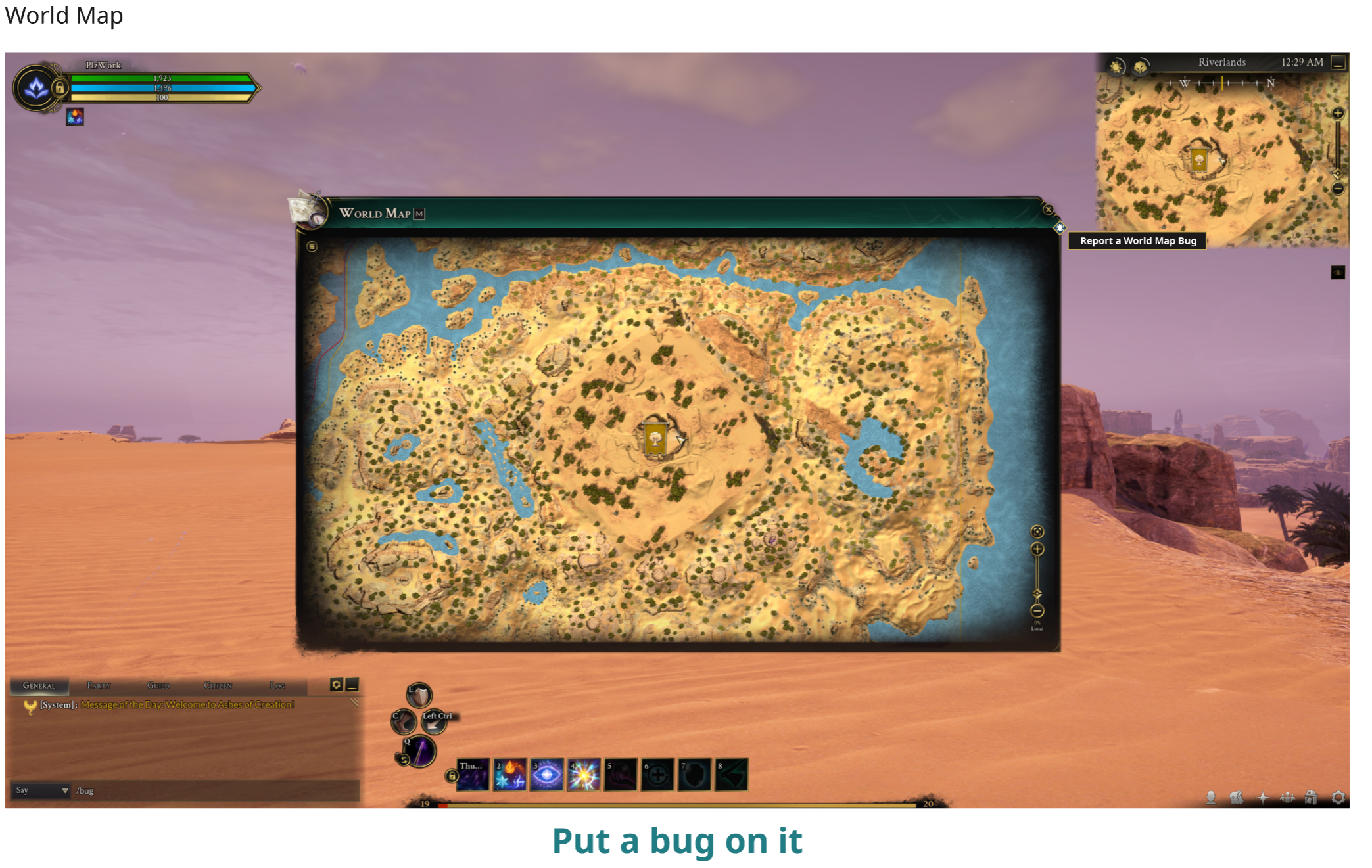
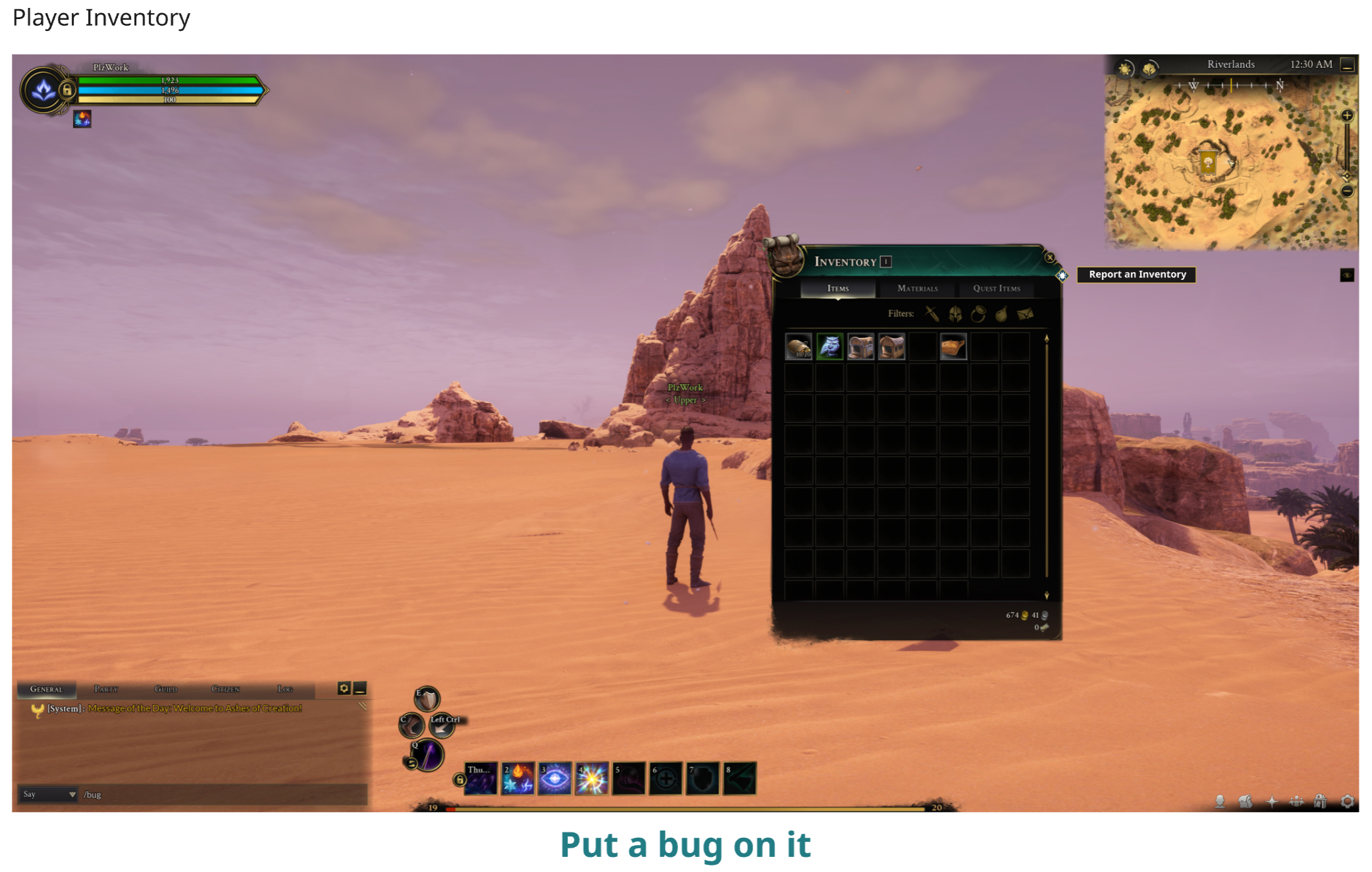
Problem Statement:
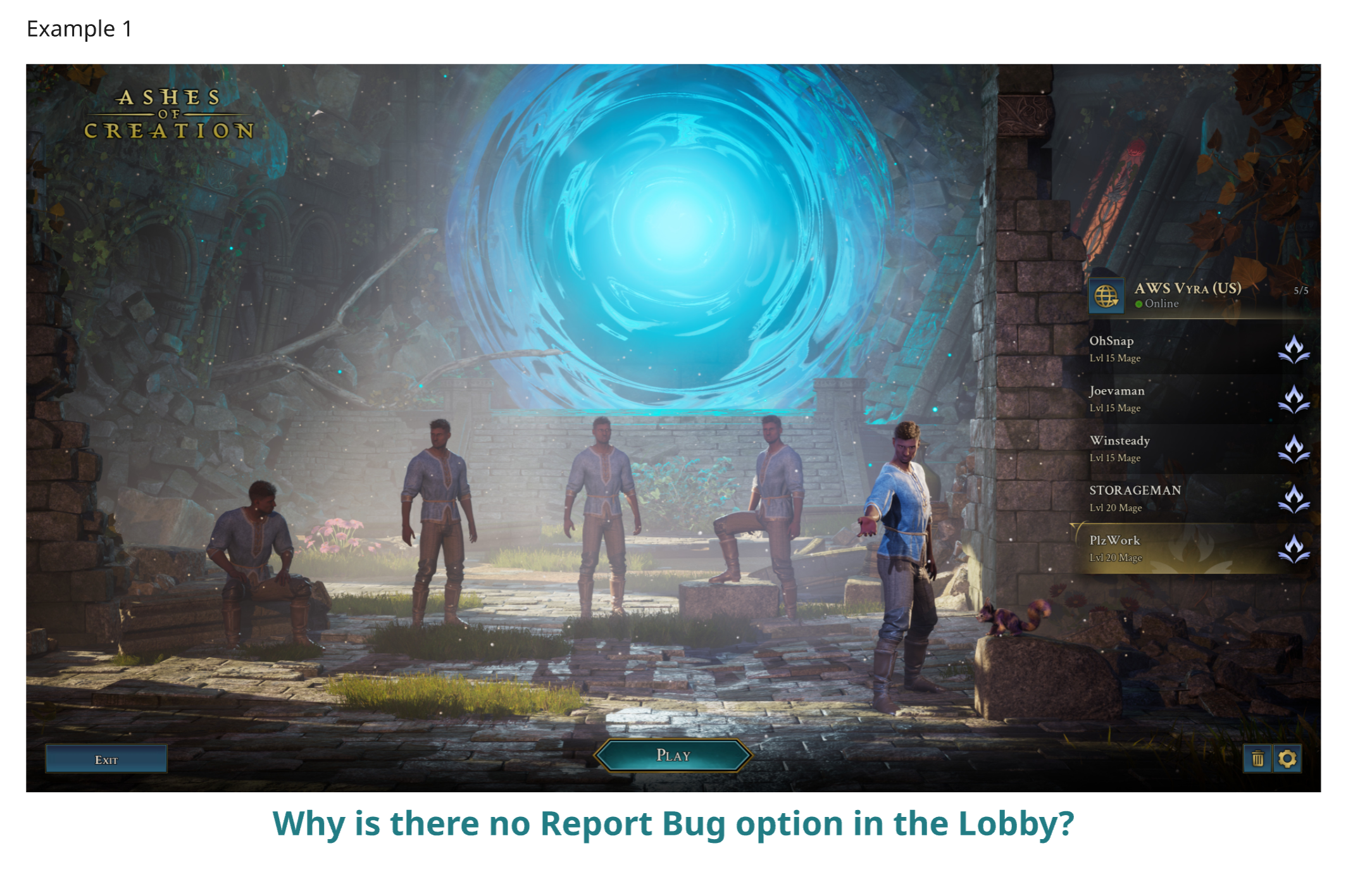
How can we provide both players and developers with context to where the issue was encountered?
Proposed Solution:
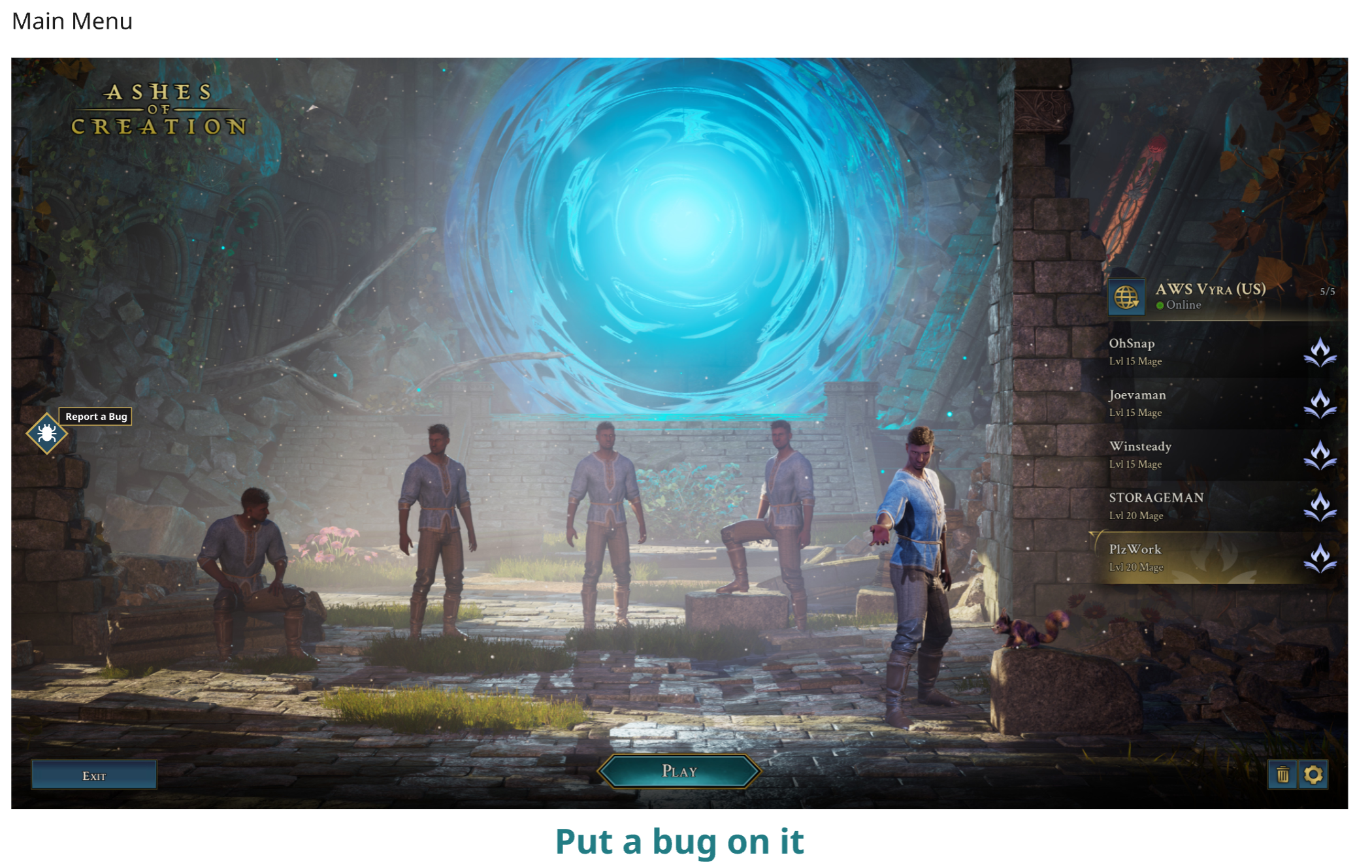
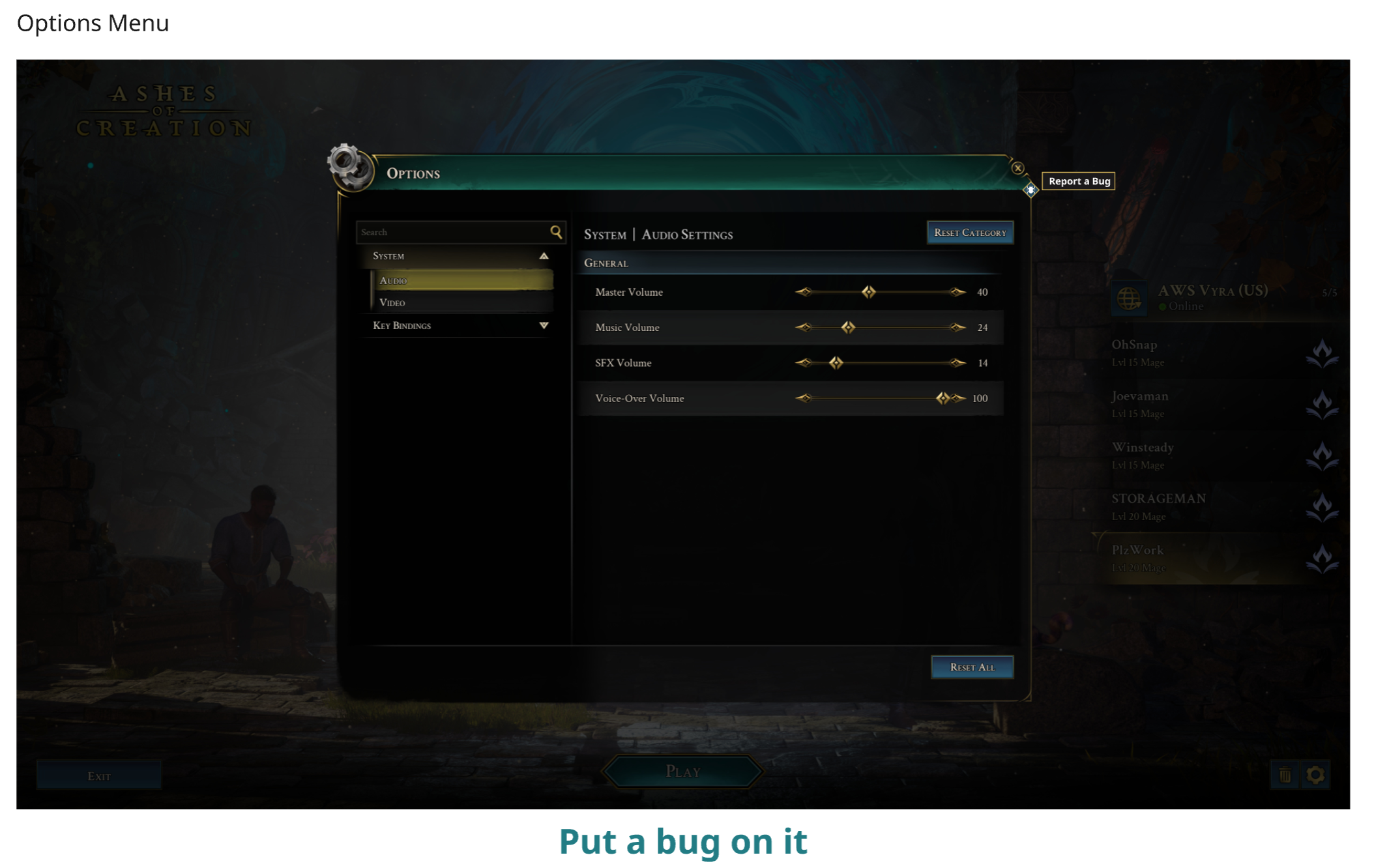
Place a Bug Button on every primary interface of the game
When a bug is reported it does the following:
Takes a Screenshot (Which can be modified)
Tracks the Game Location (Main Menu, Character Creator, Map, etc)
Player Account, Character details, etc.
Provides PLAYERS with context Category with Sub-Categories that are relevant to the location the bug was reported in.
Who is this helping?
Our Developers
We now know where something happened
We can use our backend tools to see where many of our issues are coming from and dive deeper from there.
Our Players:
We remove the terminology and field friction which allow them to spend more thoughtful time on the actual issue, as well as get back their valuable play time
Conclusion
To me, any game, be it in Alpha, Beta, and even full release, providing any player the ability to create a contextual Bug Report from any area in the game, especially one that is Live Service - is a no brainer.
There are better backend data driven methods of gathering data, but this way it can be tied directly to the context of the player, which then helps QA setup for reproduction of the issue, and then for Developers to resolve an issue.